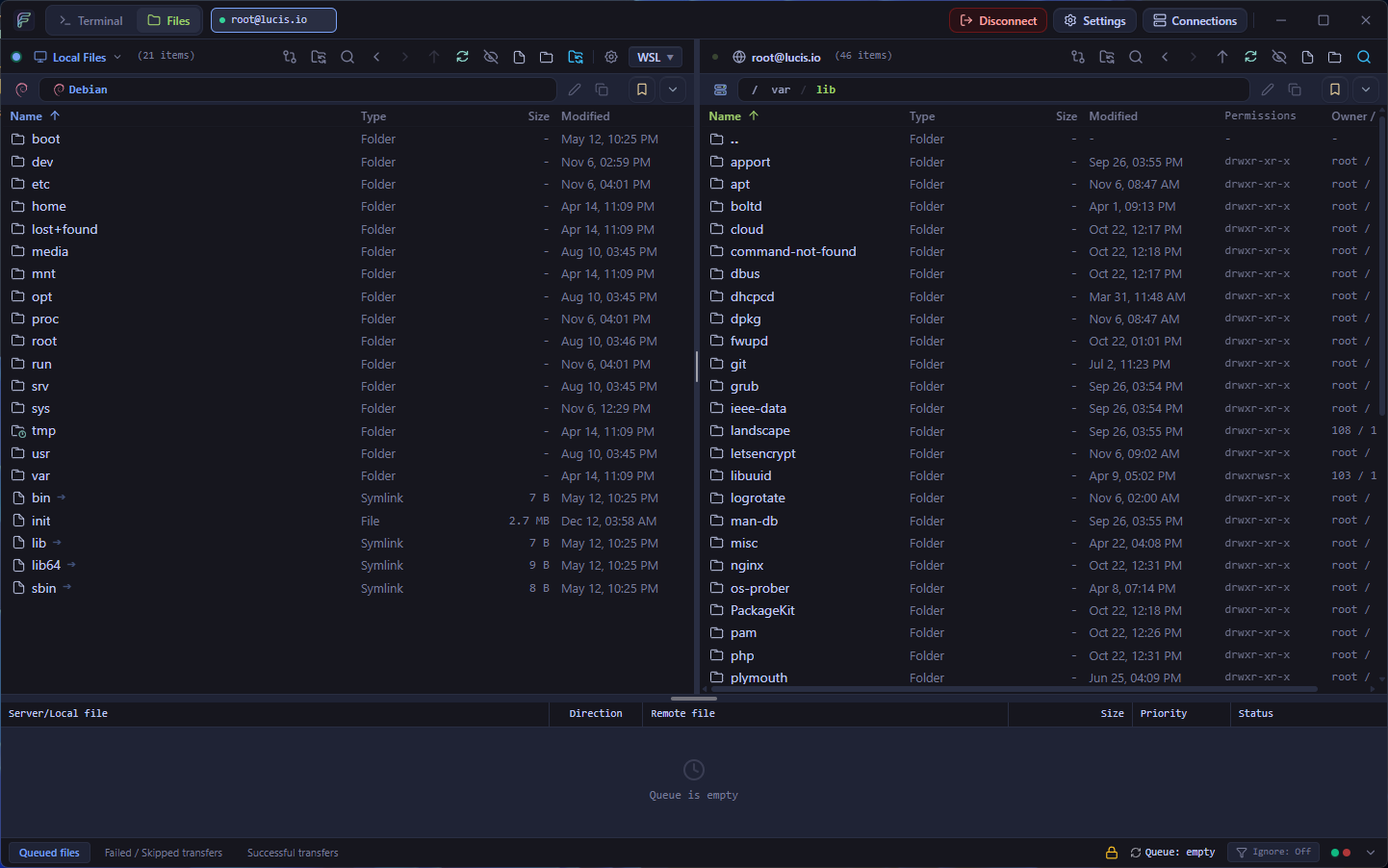
For decades, developers and system administrators have had to choose between aging SFTP file managers and separate terminal emulators. Today we are excited to release FlowSFTP v0.9.0-beta.1 — a 100% free and open-source dual-pane SFTP, FTP, FTPS, and SSH terminal client for Windows and Linux.
Why We Built FlowSFTP
Working with remote servers shouldn't mean juggling three separate windows just to upload a build artifact, inspect a configuration diff, tail a systemd journal, and restart a service.
FlowSFTP v0.9.0-beta.1 unifies your entire remote server workflow in a single native application:
- Dual-Pane Local & Remote Browser: Navigate local and remote filesystems side-by-side with full-window resizable splitters, WSL distro auto-detection, Git status badges, and a FileZilla-exact 3-tab transfer queue.
- Integrated WebGL SSH Terminal: Powered by
@xterm/xtermand@xterm/addon-webgl, the multi-session tabbed terminal lets you jump directly into any remote folder with one-click "Open in Terminal". - Built-In Code Editor (Vim Mode) & Live External Editor Sync: Edit files in-app with CodeMirror 6 (100+ languages and Vim keybindings), preview with Spacebar Quick Look, or open in VS Code, Cursor AI, or Sublime Text with automatic debounced upload on save (
Ctrl+S). - 10+ Curated Themes & OS Keyring Vault: Personalize your workspace with Catppuccin (Mocha, Macchiato, Frappé, Latte), Tokyo Night, Dracula, Nord, One Dark, and GitHub Dark/Light themes, while protecting credentials with an AES Master Password Vault and native OS Keyring integration.
Built on Tauri v2 & Async Rust
Instead of bundling a heavy Chromium instance, FlowSFTP uses Tauri v2 and an async Rust backend (russh, russh-sftp, suppaftp, notify v8, tokio). That translates to a tiny installer footprint, instant startup, and up to 10 concurrent transfer workers.